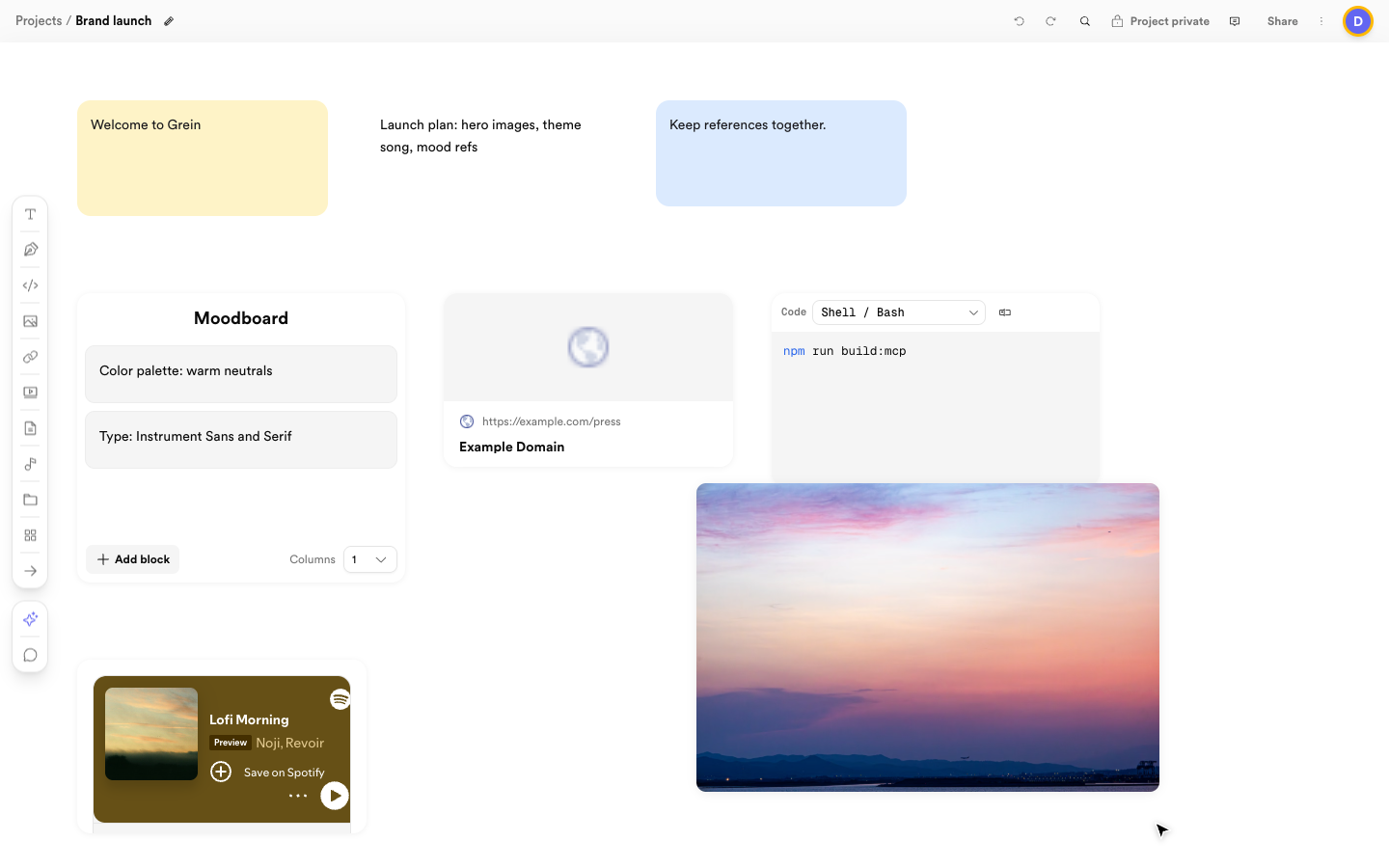
Grein is a visual workspace for planning projects with notes, images, links, video, audio, documents, code, and sketches. Keep your references together, organize related ideas, and work with your team on the same canvas. A Grein canvas with notes, a composite moodboard, a link preview, a code block, and a photo A project board with notes, a composite moodboard, a link preview, code, and a photo

Start with a project

Create a project from your dashboard. Choose a starter template or a blank canvas, give it a title, and add the material you need. Projects can contain boards and sub-boards, so you can keep a large project organized without putting everything on one screen.

Build a board you can read

Use a composite block to group related notes or media under one title. Arrange groups in rows or columns with consistent spacing. Use separate boards for larger sections, and connectors when you need to show a relationship.

Work with others

Invite teammates or clients as editors or viewers. Editors can change the canvas; viewers can follow along without editing. Use project chat and comments to keep discussions close to the work. Projects are private by default. Public links provide view-only access and can be revoked.

Get help from an assistant

Dia, the assistant inside Grein, can help you think through a project and use tools to create or organize canvas content. You can also connect an external MCP client using a personal access token from Settings → MCP access. Both assistants receive guidance to use titled composites for related content and keep layouts aligned, readable, and balanced. Give the assistant a clear goal and review its changes.

Your next step

Start with the Quickstart to build your first project. Then explore projects and boards, blocks, finding media with Spotify, Freesound, and Pexels, organizing your canvas, working with others, Dia assistant, and connecting external AI.